If you own a dental clinic and want to appear on Google Maps when someone searches for a term related to dentistry, setting up a Google My Business (now called Google Business Profile or GBP) is one of the most important first steps.
The good news: you can create it yourself in a few simple steps, even if you are not technical.
Step 1: Go to the Google Business Profile website
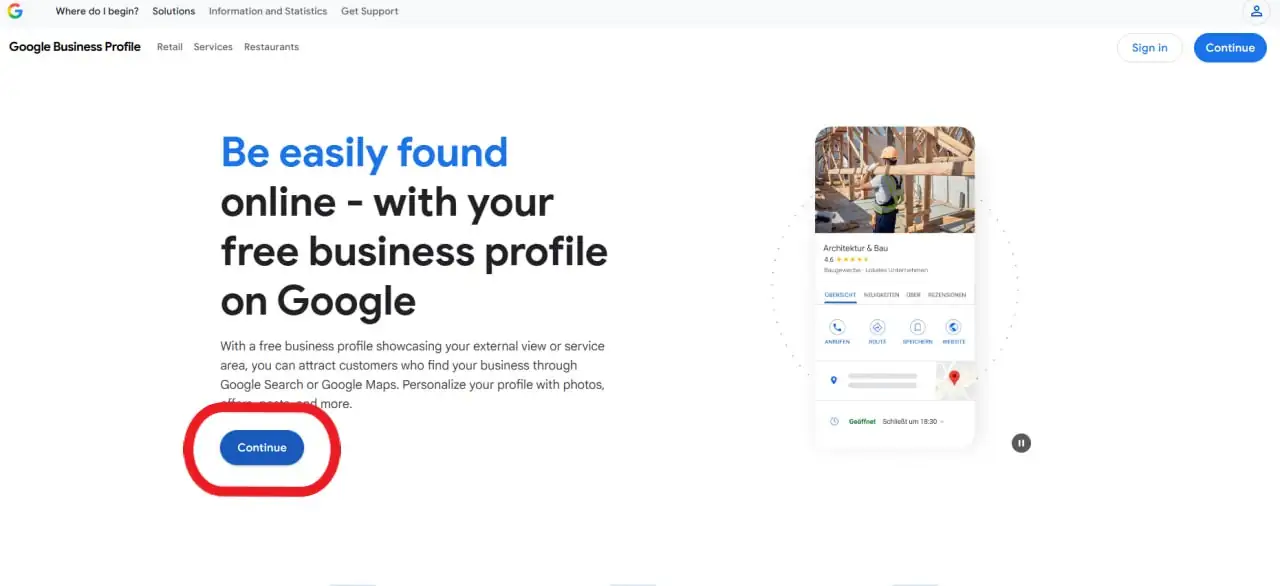
- Open your browser and search for “Google Business Profile” or go directly to the official site.
- Click on the button that says “Continue.”
Step 2: Sign in with your Google account
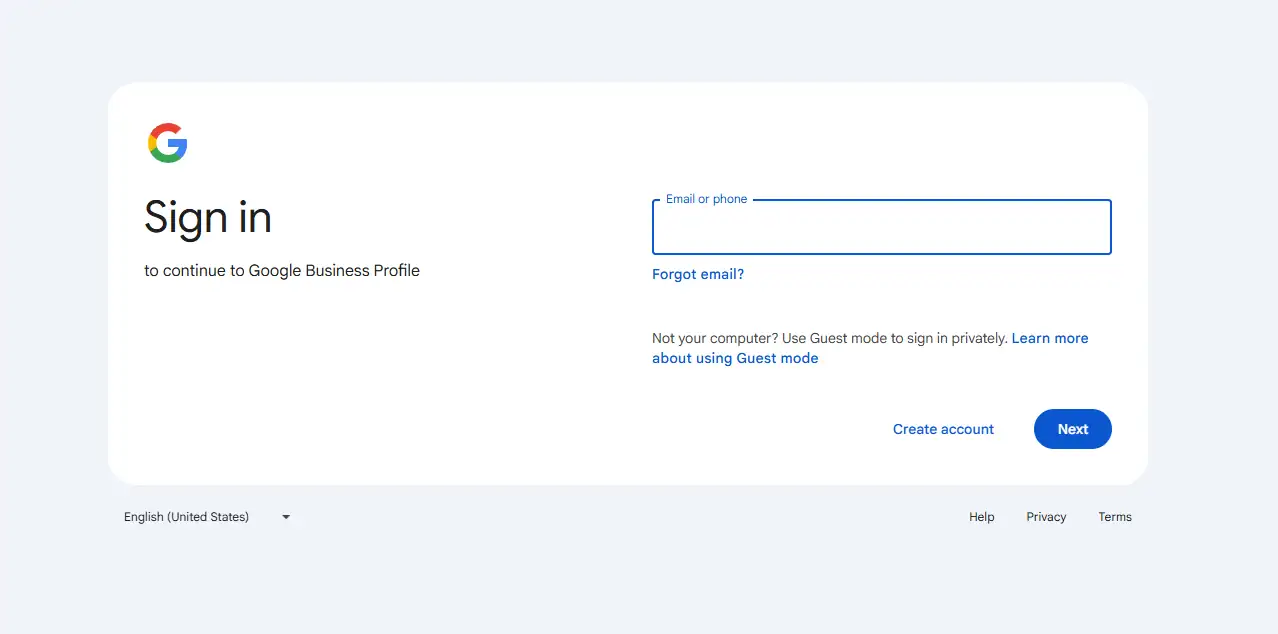
- Log in with the Google account you want to use for your dental clinic (ideally, a business email, not your personal one).
- If you don’t have a Google account, click “Create account” and follow the quick setup.
Step 3: Enter your business name
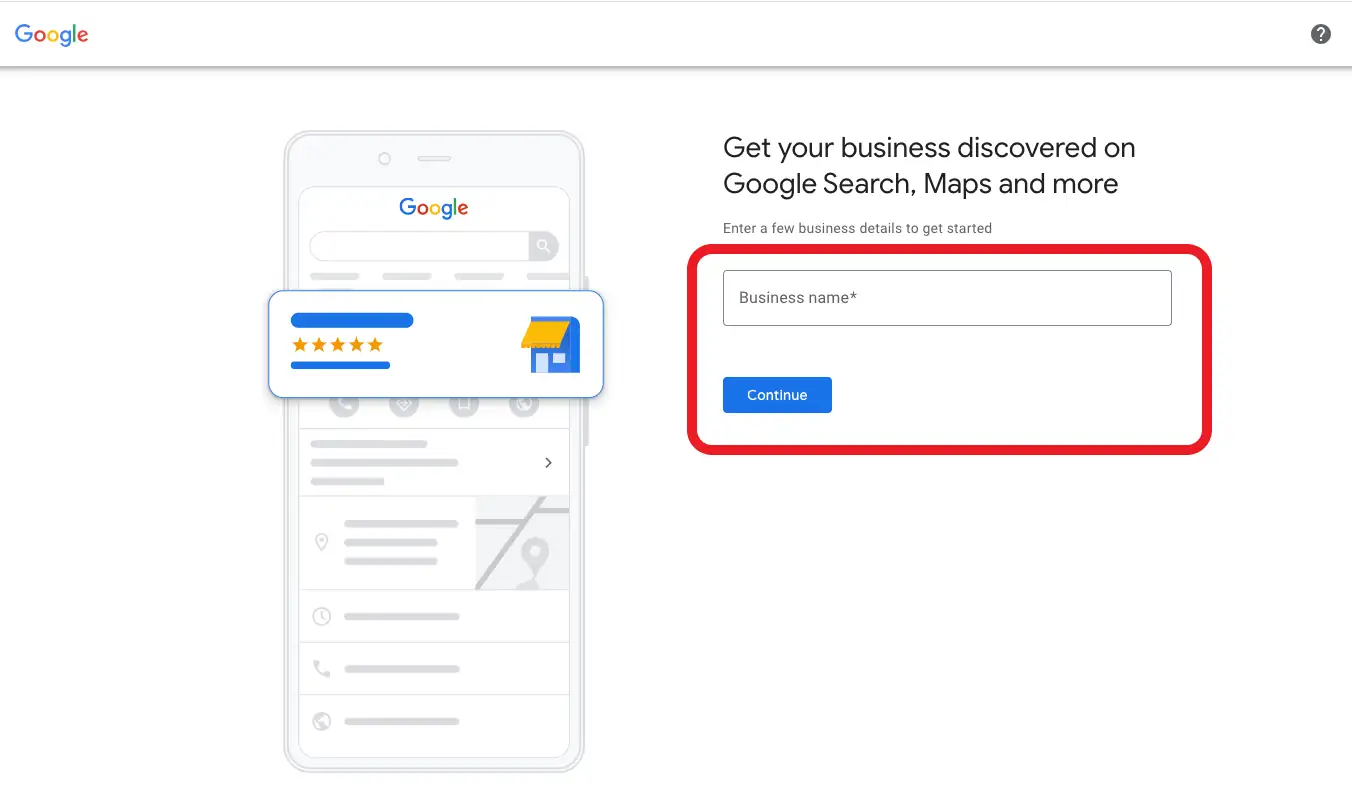
- In the “Business name” field, type your clinic’s official name, for example: “Downtown Smile Dental Clinic – Toronto.”
- If your clinic appears in the suggestions, select it; if not, click “Create a business with this name.”
Step 4: Choose your business category
- In the “Business category” box, start typing “Dentist” or “Dental clinic.”
- Select the closest match, such as “Dentist” or “Dental clinic,” depending on how you want to appear.
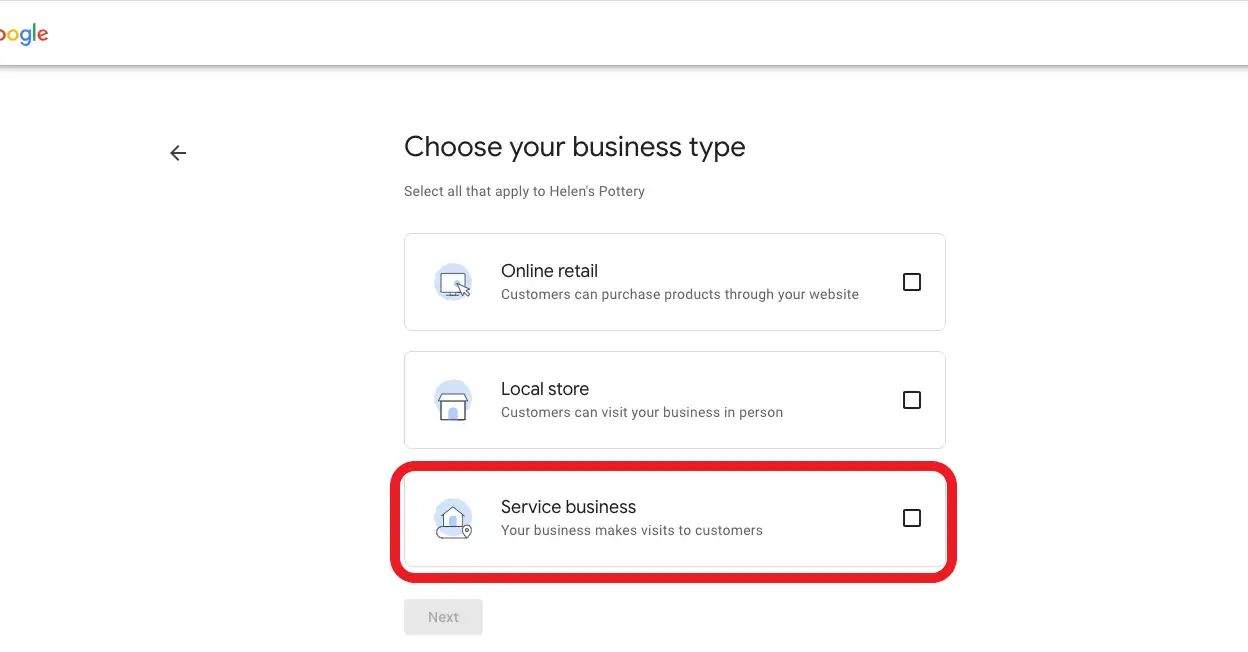
Step 5: Add your clinic address
- On the address screen, enter your full clinic address exactly as it appears on your website and signage.
Example: “123 King Street West, Toronto, ON, M5H 2N2” or “456 Granville Street, Vancouver, BC.” - Make sure the city, province, and postal code are correct, because they affect how you appear on Google Maps.
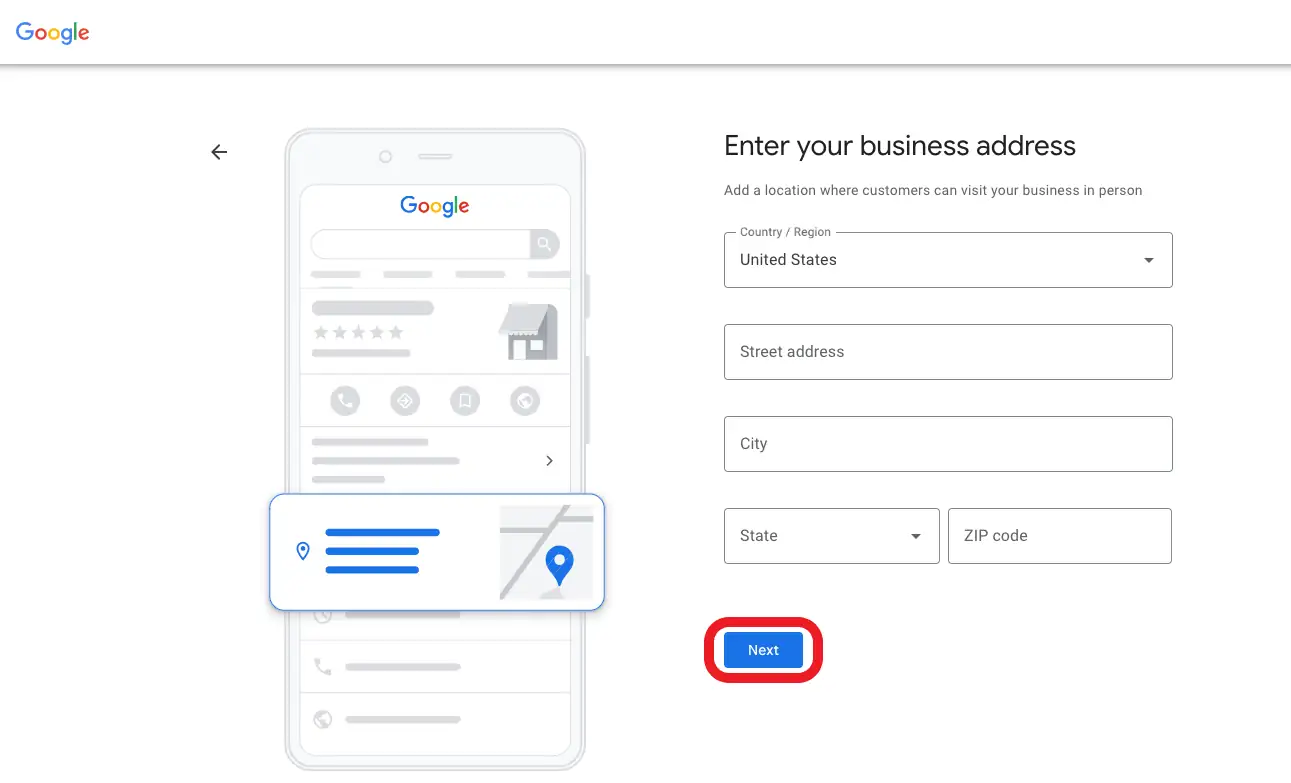
Step 6: Position your location on the map
- Google will show a map with a red pin.
- Drag the pin slightly, if needed, so it matches the exact entrance to your clinic (use Street View if helpful).
This is especially important in busy areas like downtown Toronto or Calgary, where buildings are close together.
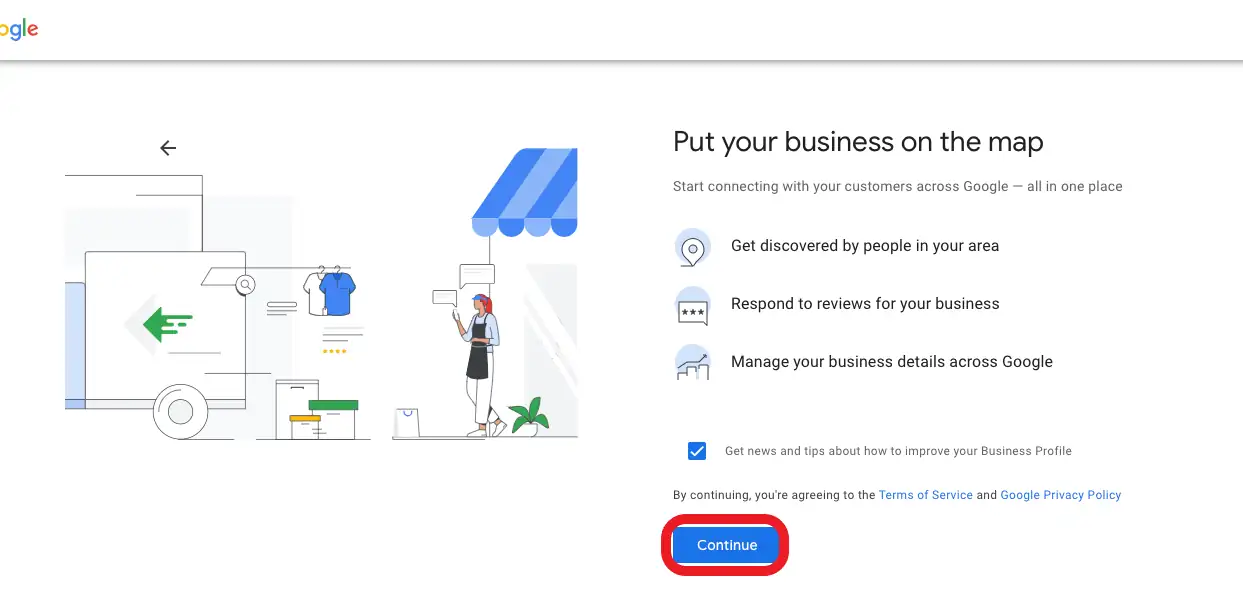
Step 7: Confirm if you serve patients outside the clinic
- Google will ask if you also provide services outside your location (for example, mobile dental hygiene).
- For most dental clinics, select “No, I don’t deliver goods and services to customers outside my location.”
Step 8: Add your contact details
- Enter your main clinic phone number (for example: “(416) XXX-XXXX” for Toronto).
- Add your website URL (for example: “https://yourclinicname.ca”).
- If you don’t have a website yet, you can select “I don’t have a website” for now.
Step 9: Choose verification method
- Google needs to verify that you really own this clinic.
- Standard methods for dentists include:
Postcard by mail to your clinic address
Sometimes, phone or email verification is required to be eligible - Follow the on-screen instructions and wait for the verification code (usually a postcard within a few days)
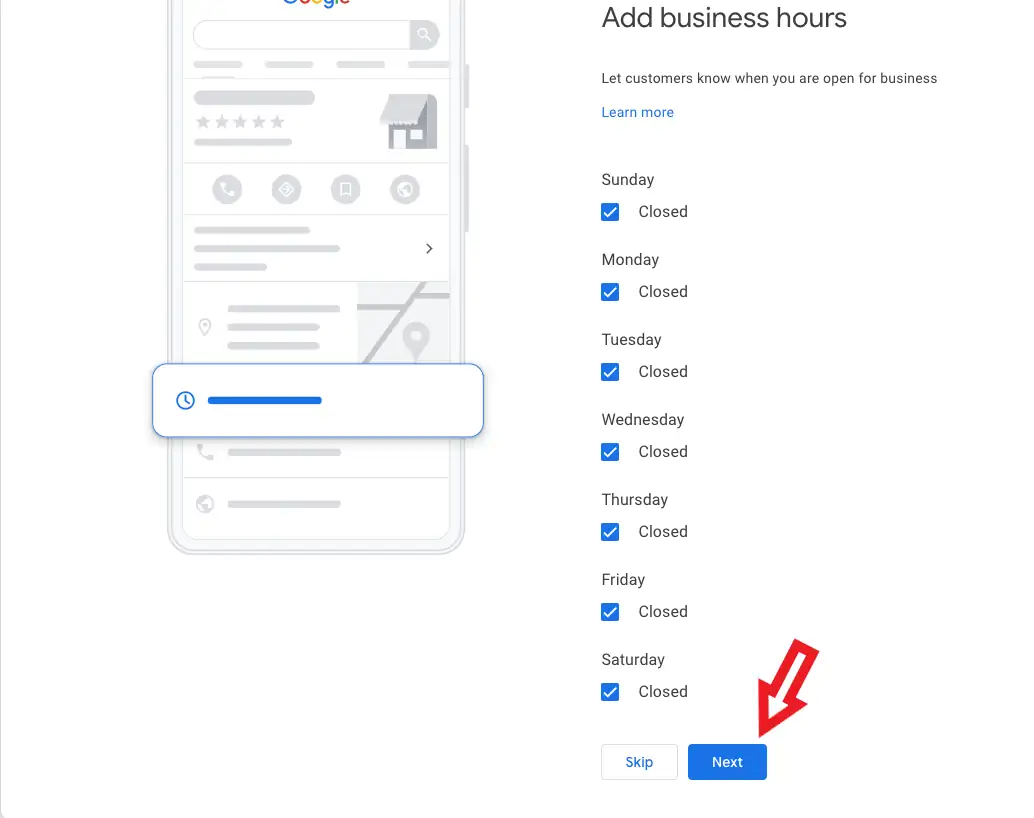
Step 10: Enter your business hours
- Once you have access to your profile, add your regular working hours (for example: Mon–Fri 9:00–17:00, Sat 10:00–14:00).
- Make sure these hours are accurate, especially in large cities like Vancouver or Montreal, where patients rely heavily on Google for opening times.
Step 11: Add services and treatments
- In the “Services” section, add the treatments your clinic offers:
- Dental cleaning
- Dental implants
- Invisalign
- Emergency dentist
2. Use simple, clear names that patients in Canada would actually search for.
Step 12: Upload photos and logo
- Add your clinic logo to build brand recognition.
- Upload interior and exterior photos, including the waiting room, treatment rooms, and the front door, so patients recognize your location upon arrival.
- Use professional, well-lit images.
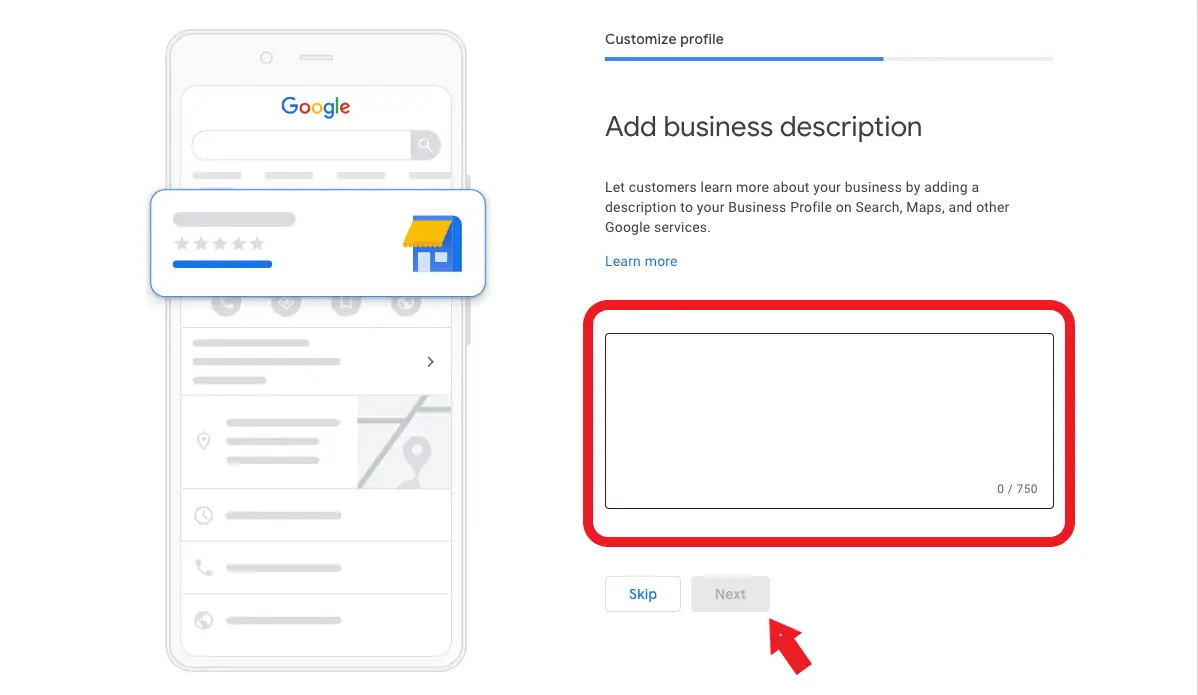
Step 13: Write your business description
- In the “Business description” field, write a short paragraph about your clinic.
Example: “We are a family dental clinic in Calgary offering general dentistry, cosmetic treatments, and emergency care in a modern, comfortable environment.” - Mention your primary services and what makes you different, without overloading it with keywords.
Step 14: Publish and review your profile
- Click “Finish” or “Publish” when you’ve entered all required details.
- Review your Google Maps profile by searching for your clinic name and checking how it appears.
At this point, your Google My Business profile is “created”, but to rank highly and appear above other dentists, you now need to optimize it regularly.
What is Google My Business (GMB)? Its important features
Google My Business (GBP) is a free tool from Google that lets your clinic appear on Google Search and Google Maps when people search for dentists in your area. It’s basically SEO for maps, or let’s say Local SEO for a dentist in Toronto, Vancouver, Edmonton, or Ottawa. It is often the first place new patients see your name, address, phone, and reviews.
If you want to learn about SEO and how it impacts dentists’ businesses in attracting new patients and leads, visit our dental SEO page.
Google My Business Features for a dental clinic
- Google Maps presence: Your clinic shows up on Google Maps when patients search “dentist near me” in your local area.
- Address, phone, and website in one place: Patients can call or visit your website with a single tap from their phone.
- Opening hours: Display exact hours so patients know when you are open, including evenings or weekends.
- Reviews and star rating: Patients can leave feedback, and new patients can judge trust based on real experiences.
- Photos and clinic images: Show your team, clinic interior, and equipment to reduce anxiety and build trust.
- Service list: Highlight key services such as implants, whitening, and emergency dentistry.
- Posts and updates: Share promotions, announcements, and news like “New patient specials” or “Now open late on Thursdays.”
For a dental clinic, all of these features help you look professional, local, and trustworthy at a glance.
Here’s what Demandhub says about the importance and the benefits of GBP for dentists:
“Having a Google My Business profile is essential for your dental practice. It enables you to reach more people in your area and promote your practice. It also helps build trust among potential patients, as they can get more information about your practice and read reviews from other patients.”
From Creation to Optimization: What Comes Next?
By now, your Google My Business profile is created and visible. That’s a significant first step. But appearing on the first page of Google Maps in cities like Toronto, Vancouver, or Calgary requires ongoing optimization:
- Regularly adding posts and updates
- Getting and responding to patient reviews
- Updating photos and services
- Using the right categories and keywords
- Tracking performance and adjusting your strategy
This is where many dentists stop, and where the opportunity is lost.
If you want your clinic to rank higher on Google Maps, attract more local patients, and turn your GMB profile into a real growth channel, our team at CMC Marketing Agency can help. With over 15 years of experience in dental marketing and local SEO, we optimize Google My Business profiles so they actually bring in calls and bookings, not just views.
We can review your current profile, address any missing elements, and manage the ongoing optimization of your clinic. For more information, visit our Toronto Google Business Profile page to explore our local SEO and dental marketing services, or contact us directly to discuss your clinic.
FAQ
Here are the most frequently asked questions by dentists who are trying to start their Google My Business or want to learn more about it:
Do I really need a Google Business Profile if I already have a website?
Yes. Your website is essential, but GBP is what helps you appear on Google Maps and local search results.
Is Google My Business free for dentists?
Yes, creating and managing a GBP (Google My Business) Profile is entirely free. The main investment is time and expertise.
How long does it take for my GBP profile to appear on Google Maps?
Once verified, your profile usually appears within a few days. Ranking higher can take weeks or months, depending on the competition.
Can I manage GBP myself, or should I hire an agency?
You can absolutely create the account yourself by following this guide. For ongoing optimization, reviews, and ranking strategies, many clinics prefer working with a specialized agency.